
Catch freight damage in the photos you already take
Teuscan is an intelligence layer over your existing photo workflow, flagging damaged freight minutes after capture.
- Damage flagged in 1–2 minutes
- Tell customers before they ask
- No cameras, no hardware to install
How it works
Connect your photo flow, detect the damage, notify the customer first
Connect — Capture layer
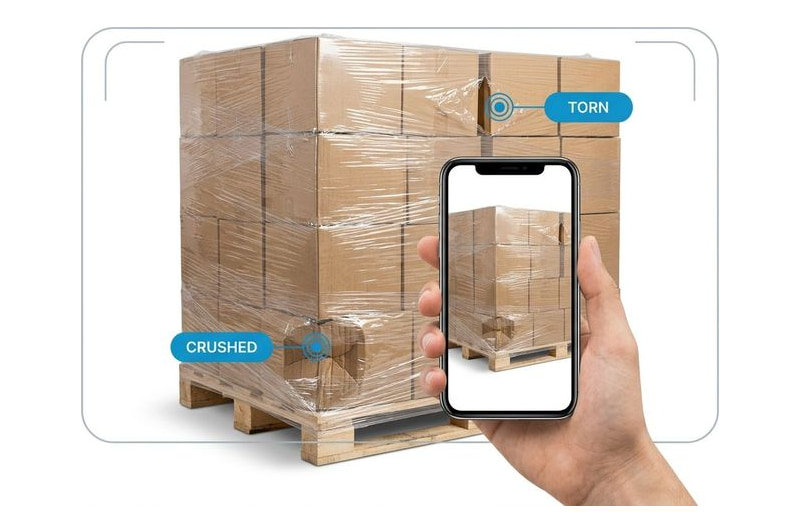
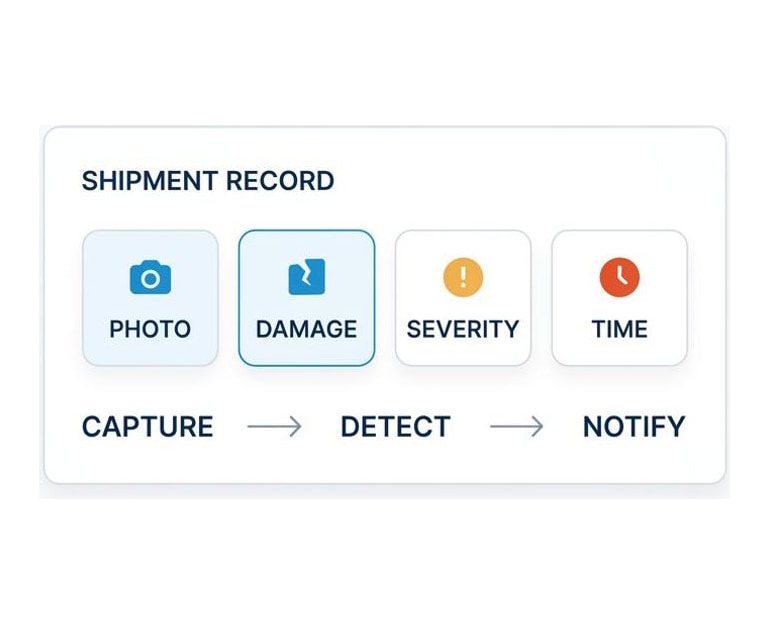
Send the photos your team already takes to our API, or capture them in our app. Integration usually takes a day, and we do the work for you.

Detect — Analysis layer
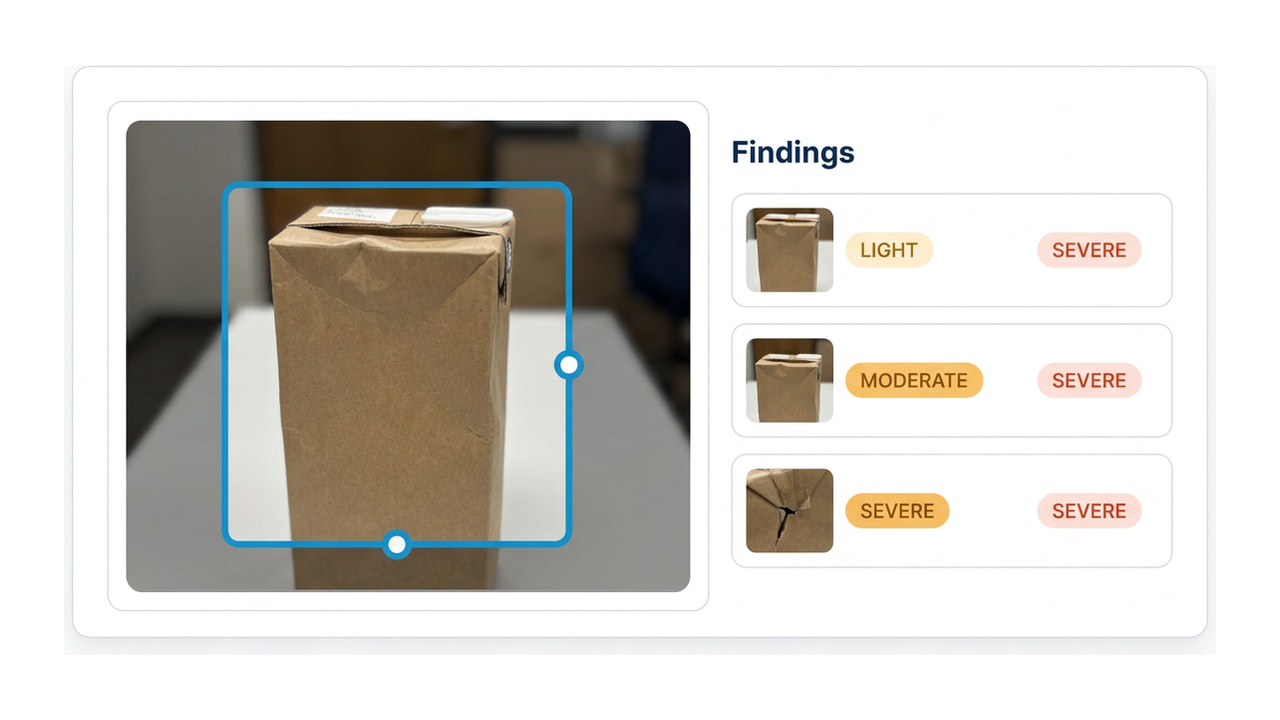
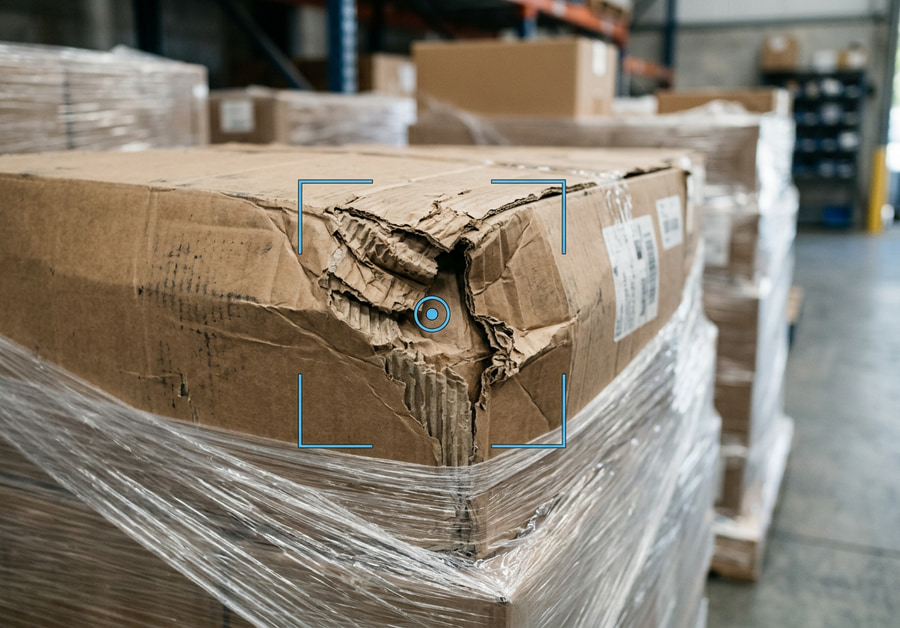
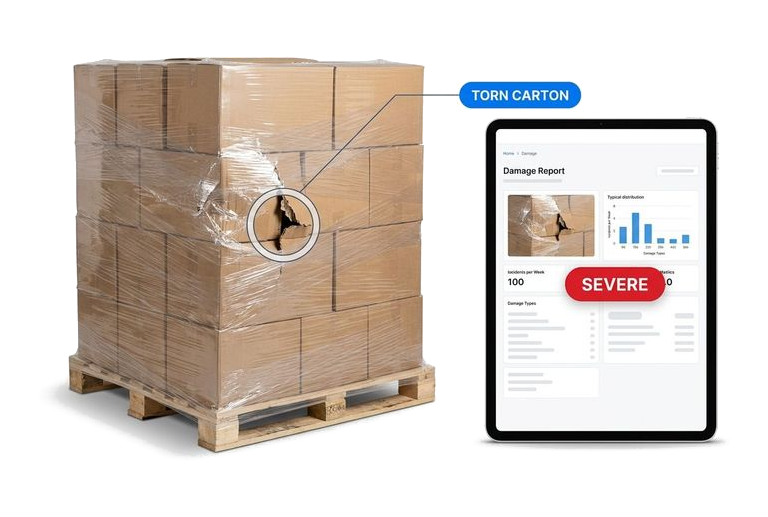
Every photo is read for damage to boxes, pallets and wrap, then graded light, moderate or severe — with a written description of what was found.
Notify — Delivery layer
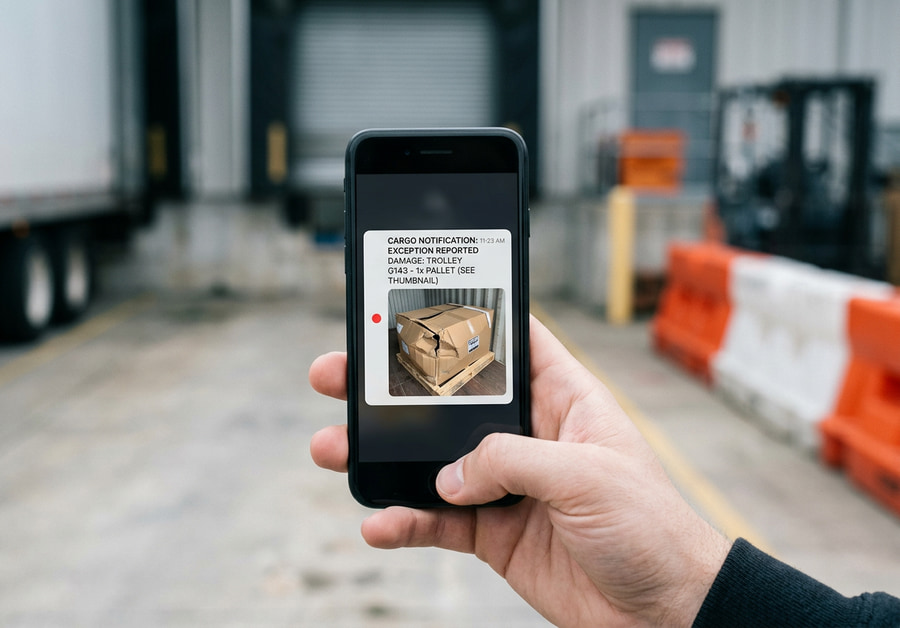
Your ops team gets the alert, and a timestamped report goes out to the customer — often while the truck is still at the dock.
Try it on your own photo
Upload a freight photo and see what Teuscan returns — every area of damage marked and graded, a written description, and a read on whether the photo itself is usable.
Your result will appear here in a few seconds.
No photo to hand? Here are ours.
Real freight photographs run through the same endpoint the demo above uses. Every box and every word came back from the model — nothing here was written by hand.
Built for every freight handoff
Teuscan reads the photos taken at each handoff — receiving, cross-dock, outbound — so damage is found when it happens, not when a claim lands weeks later.
Quality control for the photos themselves
Freight photos are the main asset in a claim dispute, and a blurry, low-light shot taken on a night shift cannot defend one. Worse, it looks careless when the customer asks to see it. Teuscan checks every upload for blur, poor light and other capture problems within 1–2 minutes, so staff can retake the shot while the freight is still on the dock.
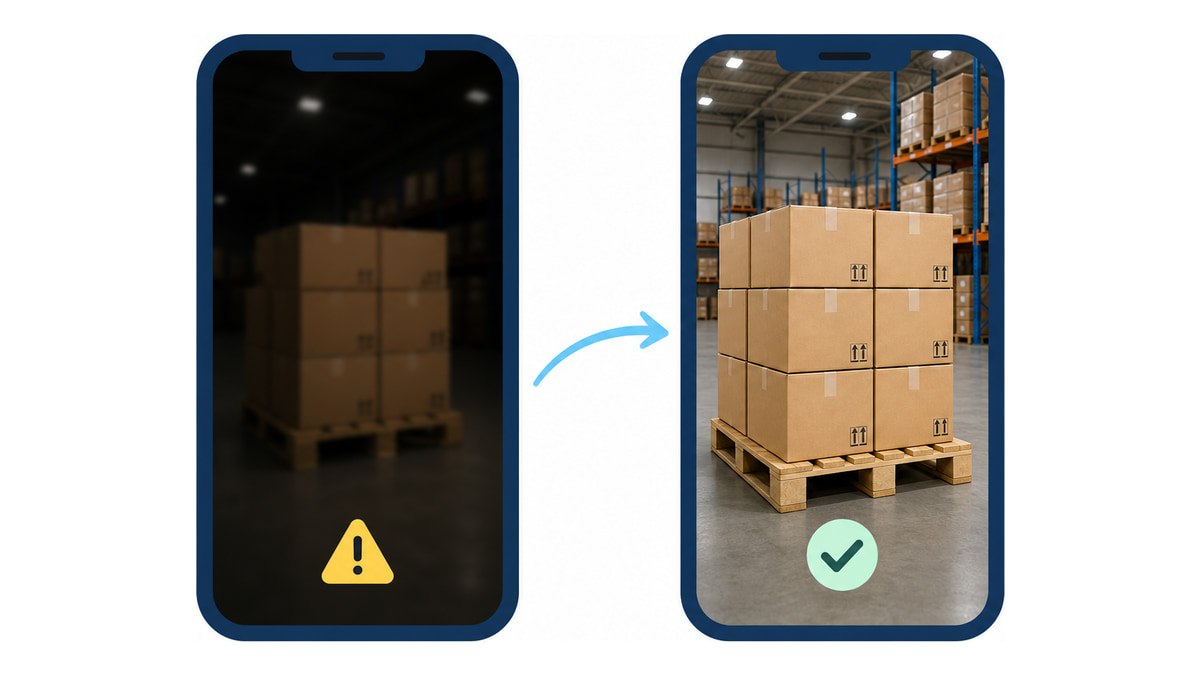
Teuscan is the damage record for every shipment
The flagged photos, the severity, the written description and the moment it was found stay together in one record. When a customer questions a shipment weeks later, the evidence is already assembled—you send it instead of reconstructing it.
Damage history per shipment

Every finding is tied to the shipment and the timestamp—so anyone can see what was damaged, when it was found, and which photo shows it.
From detection to notification

A flagged shipment becomes an alert and a customer-ready report on its own, instead of sitting in a photo folder until someone opens it.
Structured data, ready for your systems

Severity, damage type and description come back as structured output over the API, ready for your WMS, TMS or claims tooling.
Simple integration
Works with the capture setup you already run — and our team does the integration for free
Plug & play API
Point your existing upload pipeline at our endpoint. Photos in, damage findings out, in real time. Most teams are live within a day.
Mobile capture app
If your team shoots on phones with nothing behind it, use our iOS and Android app and skip the integration entirely.
Free setup, done by us
We do the integration work ourselves at no cost, including mapping our output into the fields your WMS or TMS already uses.
What Teuscan is not
Just as important as what we do, this is what we don’t do.
Not a certificate of condition. Teuscan reads what the photos show. It does not catch everything — no automated check does — and it is a second look at the freight, not the only one.
Not a replacement for your WMS. Your WMS, TMS and photo capture stay exactly where they are. Teuscan reads what comes out of them and hands back a flag.
Not a claims system. No filing, no tracking, no chasing carriers, and no deciding who is liable. Teuscan produces the evidence; the claims process it feeds stays yours.
Find the damage before your customer does
From photo upload to damage alert
Severity levels you can tune
Cameras or hardware to install
"We already take the photos. What we don't want is to depend on someone spotting the damage on a busy shift."

What warehouse teams told us
"Reactive claim processing is a waste of time and it damages the relationship with the customer. We would rather find the damage on the dock."

Inbound operations
"I collected three hundred photos of damaged boxes, three hundred of pallets, three hundred of wrap. That is how much this costs us."

Distribution center
"The photos already exist. The step we are missing is someone reliably noticing which of them show damage."

Regional 3PL
"On a busy shift damage gets missed, and then it turns into a customer escalation two weeks later — when nobody remembers the pallet."

Cross-dock operations
"We would just be babysitting a noisy AI." — the objection that shaped our severity thresholds. You decide what is worth an alert.

On automated inspection tools
"Photos come back from carriers and warehouses in any condition. We check them by hand and ask for retakes when they are unusable."

Operations lead
Frequently asked questions
The questions warehouse teams ask us first
Will it actually work on my photos, not a demo set?
Our people already catch damage. What does this add?
Won’t we just be babysitting a noisy robot?
How long does the integration take?
Do we need to buy cameras or install anything?
What does the output look like?
Can it tell me when a photo is unusable?
Who is behind this?
Want to see it on your photos?
Send a handful of freight photos and get the scan results back — no sign-up