
API documentation
One endpoint. One photo in, one report out.
The whole integration surface is a single multipart POST. This documents exactly what it accepts and returns today — not a roadmap.
Access is through a pilot, not a signup form
There are no self-serve API keys yet, and this page is not going to pretend otherwise. The endpoint below is the one behind the public demo: unauthenticated, rate-limited by IP, and pointed at our own origin. Production access — your own throughput, your own notification routing, authentication — is set up during a pilot, and I do that integration work myself.
Email me and tell me where your photos live. That conversation is usually shorter than reading this page.
The request
POST/api/analyze
multipart/form-data with exactly one file field named image. There is no JSON body parser on this service — the only endpoint that takes a body takes multipart, so an app-wide JSON parser would just be another way in.
curl -X POST https://teuscan.com/api/analyze \
  -F "image=@pallet-inbound-0412.jpg"
Limits
- Formats: JPEG, PNG, WebP. HEIC is rejected with a clear message rather than failing downstream — the model cannot read it and browsers cannot preview it.
- Size: 12MB by default. Phone photos are routinely 4-8MB, so this is deliberately above normal camera output.
- Rate: 60 requests per IP per hour by default. The limiter is on this endpoint rather than the app because this is the call that costs money.
- Timeout: 45 seconds on the model call. In practice a report comes back in a few seconds.
All four are environment settings rather than hard constants, and all four get revisited for a pilot — the defaults are sized for a public demo.
What happens to the image
- EXIF orientation is baked in before analysis. Browsers apply the orientation tag when rendering and the model reads raw pixels, so without this every bounding box on a phone photo would be rotated relative to what you see.
- The long edge is capped at 1536px. Boxes are returned as fractions, so downscaling costs no coordinate accuracy — and it is the main lever on latency.
The response
200 with an AnalyzeResponse. See the sample report for the same structure rendered as a human would read it.
{
  "report": {
    "verdict": "damage",
    "severity": "moderate",
    "summary": "Moderate damage: the lower left corner of the pallet is crushed
                across two cartons, with the outer wrap torn above it.",
    "findings": [
      {
        "label": "Crushed corner",
        "description": "The lower left corner of the load is compressed inward
                        across what appear to be two cartons.",
        "location": "lower left of the pallet",
        "severity": "moderate",
        "box": { "x": 0.08, "y": 0.62, "w": 0.29, "h": 0.30 }
      }
    ],
    "photoQuality": { "usable": true, "issues": [] }
  },
  "meta": {
    "processingMs": 4120,
    "model": "google/gemini-3.5-flash",
    "imageWidth": 1536,
    "imageHeight": 1152
  }
}
report.verdict
damage— damage found.severityis non-null.no_damage— freight is visible and looks intact.unusable— the photo cannot support a judgement. This is a real verdict and not an error: it is photo-quality control doing its job. In a tool people are going to trust, confidently describing damage that is not there is the one unrecoverable mistake.
severity is non-null exactly when the verdict is damage, and it is derived as the worst of the individual findings — so the headline can never read milder than a finding already in the list.
report.findings[]
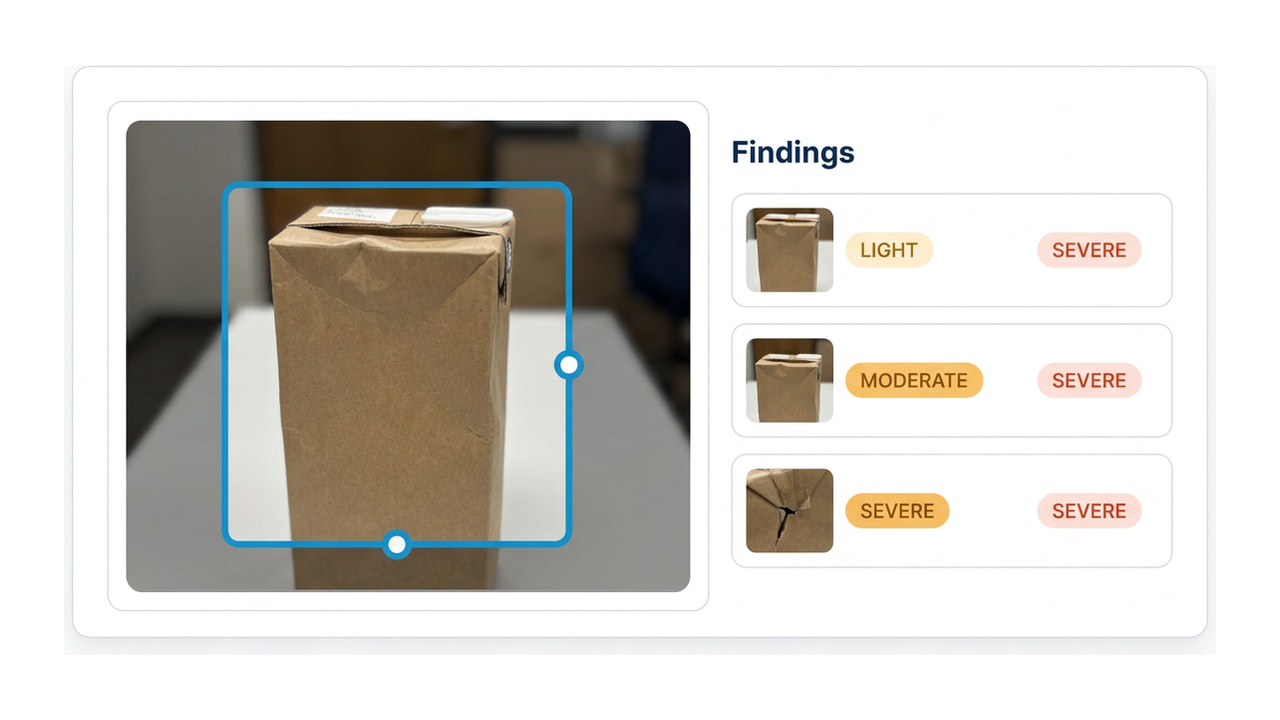
label— short, e.g. "Crushed corner".description— one sentence, written to be forwarded to a customer unedited.location— in plain words, e.g. "lower left of the pallet".severity—light,moderateorsevere, graded per finding, so one photo can carry a light scuff and a severe crush.box—{ x, y, w, h }as fractions of the image, 0..1, origin top-left. Null when a finding could not be localised. Multiply by your rendered dimensions to draw it.
report.photoQuality
usable plus an issues array naming the capture problems found — motion blur, underexposure and so on. Empty when clean. This is returned on every request, including ones where the verdict is damage.
There is no confidence score
The model emits one and we deliberately do not return it. It is not calibrated — on repeated runs it came back as exactly 0.95 — and publishing an uncalibrated number is invented precision. The same rule governs the product numbers on the rest of the site.
Errors
Every failure returns the same shape. code is stable and safe to switch on; message is written for a person and may change.
{
  "error": {
    "code": "FILE_TOO_LARGE",
    "message": "That photo is over 12MB. Try a smaller one."
  }
}| Code | HTTP | When |
|---|---|---|
NO_FILE | 400 | No file in the request, an empty file, or more than one. |
UNSUPPORTED_TYPE | 415 | Not a JPEG, PNG or WebP. HEIC is rejected here deliberately. |
FILE_TOO_LARGE | 413 | Over the upload ceiling (12MB by default). |
RATE_LIMITED | 429 | Past the per-IP allowance for the window. |
UPSTREAM_ERROR | 502 | The vision provider failed. Details are logged, never returned. |
UPSTREAM_TIMEOUT | 504 | The model call exceeded the timeout (45s by default). |
INTERNAL | 500 | Anything else. Also never leaks upstream text. |
Upstream provider errors are logged but never returned. Provider responses quote the request back, which here includes our prompt — so only a code and a message we wrote ourselves reaches a client.
Send me a batch instead
If you want to know whether this is worth integrating, the fastest path is not reading docs — email me 5-10 photos from your dock and I will run them and send back the reports.